ACT, CREATE & SHARE
Task 1:
We have reached the main event! Now that you have planned out your project you now need to get on with actually doing it.
While you are working on creating your project you might want to consider:
We have reached the main event! Now that you have planned out your project you now need to get on with actually doing it.
While you are working on creating your project you might want to consider:
- Your audience or users - make sure your project works for the intended audience or users.
- Prototyping - the first version of your project should not necessarily be the final version. You will need to make modifications along the way to reach the final version.
- Seeking feedback - gather feedback from people along the way. This will help you to create a better product for your audience.
MS WILSON ON Prototyping
If you need some ideas for different tools you could use for your project some are listed below.
- Presentations - Prezi, PowToon
- Posters - Postermywall, Glogster
- Survey's - Survey Monkey, Google Forms
- Polls - Mentimeter, Poll Daddy
- Website - Weebly, Google Sites
- Graphic Novels - Graphix, Comic Master
- Comic Strips - Pixton, ToonDoo
- Video Clips - iMovie, Movie Maker
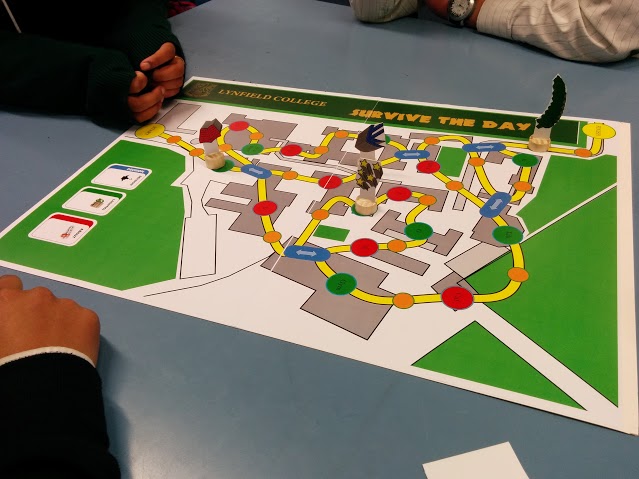
Mr Tan and ms Wilson's board game example
Task 2:
Now that you have created your project you need to share it with the community. Parents, teachers and interested member of the community will be coming in to school to have a look at all the projects that were created. You need to ensure your project is complete and in a suitable format to be displayed on the evening. Some students will also be chosen to come along and speak to the community about their project.
Now that you have created your project you need to share it with the community. Parents, teachers and interested member of the community will be coming in to school to have a look at all the projects that were created. You need to ensure your project is complete and in a suitable format to be displayed on the evening. Some students will also be chosen to come along and speak to the community about their project.
MS WILSON ON meeting the needs of your intended audience

